



ASUS VY279HGR Eye Care Gaming Monitor – 27 inch FHD (1920×1080), IPS, 120Hz OC, SmoothMotion, 1ms MPRT, Adaptive Sync, Eye Care Plus, Blue Light Filter, Flicker Free, antibacterial, SmoothMotion
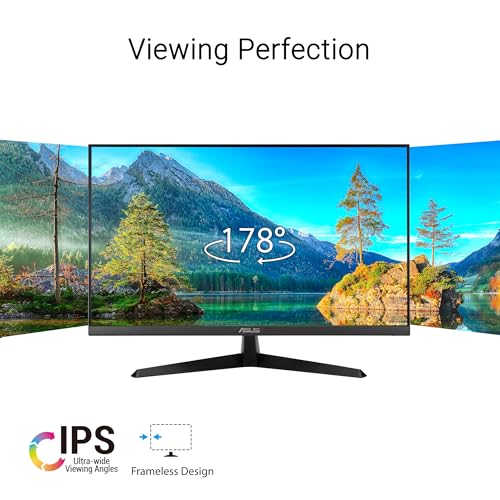
ASUS VY279HGR Eye Care Gaming monitor features a 27 Inch FHD IPS panel with 120Hz(OC) refresh rate for smooth video viewing and casual gameplay
SmoothMotion technology and 1ms MPRT eliminate tracing and ensure crisp and clear video playback and daily usage
Adaptive Sync delivers fluid, artifact-free visuals at any frame rate, ensures you’ll enjoy consistently smooth visuals with any content
Original price was: £99.00.£84.00Current price is: £84.00.
ASUS VY279HGR Eye Care Gaming monitor features a 27 Inch FHD IPS panel with 120Hz(OC) refresh rate for smooth video viewing and casual gameplay
SmoothMotion technology and 1ms MPRT eliminate tracing and ensure crisp and clear video playback and daily usage
Adaptive Sync delivers fluid, artifact-free visuals at any frame rate, ensures you’ll enjoy consistently smooth visuals with any content
Proprietary long-lasting antibacterial treatment inhibits the growth of bacteria and fungi on the monitor bezels and hotkeys, for a cleaner, more hygienic workspace
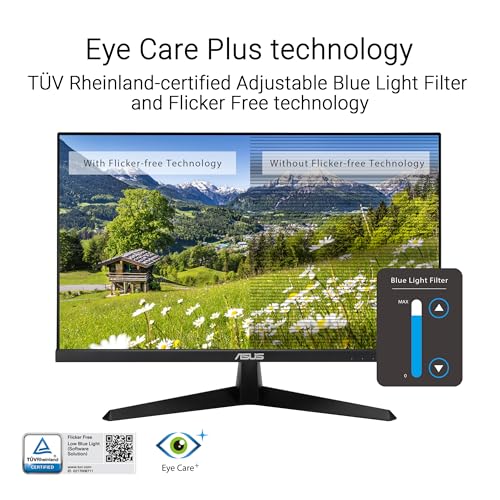
IPS panel technology for an astounding 16.7 million colours. Eye Care Plus technology includes Colour Augmentation mode helps users with colour-vision deficiency better distinguish between colours, and Rest Reminder helps users manage screen time
ASUS DisplayWidget Center lets users easily adjust monitor settings, colour profiles, and Eye Care features via a user-friendly on-screen interface
How to Overclock your monitor to 120hz: power on the monitor and ensure the HDMI/ Display Port cable is plugged into your Console/ PC Graphics Card; click the monitor’s physical toggle switch for the On Screen Display menu to appear; navigate to ‘Gaming’ > ‘Overclocking’ and enable OC mode; lastly type in ‘Advanced Display’ into your windows search bar to open the Window’s menu and set the refresh rate
User Reviews
Be the first to review “ASUS VY279HGR Eye Care Gaming Monitor – 27 inch FHD (1920×1080), IPS, 120Hz OC, SmoothMotion, 1ms MPRT, Adaptive Sync, Eye Care Plus, Blue Light Filter, Flicker Free, antibacterial, SmoothMotion”
You must be logged in to post a review.



There are no reviews yet.