
You may have encountered a few bumps on the road when setting up or managing your home automation. From connectivity glitches to privacy concerns, navigating modern tech can sometimes feel like a second job. While smart home systems offer incredible convenience, they are not entirely foolproof.
Understanding the Most Common Issues With Smart Home Security Systems can help you troubleshoot problems quickly and ensure your property remains fully protected.
1. Unreliable Wi-Fi & Disconnection Issues
The absolute foundation of any wireless security setup is a stable internet connection. However, one of the most widespread complaints is smart cameras dropping offline or smart locks failing to respond.
The Cause: Weak Wi-Fi signals, heavy network congestion from too many connected devices, or physical obstacles like thick concrete walls.
The Fix:
- Consider upgrading to a dedicated mesh Wi-Fi network.
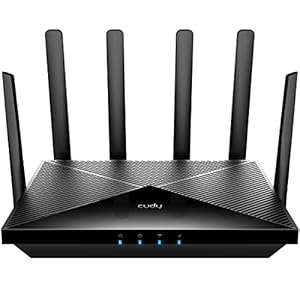
- Move your router closer to your security devices or use Wi-Fi extenders.
- For a highly reliable, congestion-free network, explore the best 2-in-1 laptops in 2024 to manage your system settings, and make sure your router is capable of handling multiple IoT (Internet of Things) devices simultaneously.
2. Rapid Battery Drain in Wireless Sensors & Cameras
Wireless cameras and video doorbells offer immense flexibility in placement, but they rely heavily on battery power.
The Cause: High-traffic areas trigger constant motion alerts, forcing cameras to record non-stop. Extremely cold weather also degrades lithium-ion battery performance rapidly.
The Fix:
- Adjust your camera’s motion sensitivity settings and create “activity zones” to ignore street traffic.
- Where possible, hardwire high-use cameras or connect them to small solar panel accessories.
3. Delayed Alerts and Laggy Video Feeds
When someone approaches your front door, you want to know instantly. A delay of 10 to 30 seconds can render a security system highly ineffective.
The Cause: High latency in cloud-based systems. If your security camera has to upload footage to an external server before sending a push notification to your phone, delays are inevitable.
The Fix:
- Switch to smart security systems that support local processing and local storage (like an SD card or local NVR).
- Reduce video resolution from 4K to 1080p to lower the bandwidth load on your internet connection.
4. Cross-Platform Compatibility and “Smart Home Fatigue”
Trying to make a Ring doorbell, a Google Nest camera, and an Apple HomeKit smart lock talk to each other can be an absolute headache.
The Cause: Proprietary ecosystems. Manufacturers design products to lock you into their respective brands, resulting in a fragmented user experience where you need five different apps just to check your home security.
The Fix:
- Look for devices that are universally compatible with Matter or Zigbee/Z-Wave protocols.
- Use a unified smart assistant hub (like Home Assistant, Samsung SmartThings, or Apple Home) to bridge different brands together. To keep updated on the latest hub recommendations and device releases, check out our dedicated Smart Home Blogs section.
5. Cybersecurity Vulnerabilities & Privacy Concerns
A smart security system is designed to keep intruders out, but poorly secured devices can actually invite cybercriminals in.
The Cause: Outdated device firmware, weak default passwords, and a lack of encryption make smart cameras vulnerable to hacking and unauthorized access.
The Fix:
- Change all default passwords immediately to strong, unique phrases.
- Enable Two-Factor Authentication (2FA) on all smart home accounts.
- Set up a separate virtual local area network (VLAN) on your router specifically for your smart home devices (IoT network) to keep them isolated from your personal computers and phones.
Final Thoughts
Smart home security systems are incredibly powerful tools for modern peace of mind, but they require regular upkeep. By optimizing your Wi-Fi network, choosing local-first storage options to avoid cloud delays, and keeping device security tight with multi-factor authentication, you can easily mitigate the Most Common Issues With Smart Home Security Systems.
Building a resilient smart home takes a bit of planning, but the security and convenience it provides are well worth the effort.
Frequently Asked Questions
Q1: Why do my smart cameras keep going offline even though my phone has great Wi-Fi in the same spot?
This is a classic issue discussed on Reddit. Smart home devices usually have much smaller, weaker Wi-Fi antennas compared to smartphones. Additionally, most smart devices connect strictly to the 2.4GHz band (which has a longer range but slower speeds and higher interference), while your phone likely utilizes the faster 5GHz band. To fix this, separate your router’s bands and assign your smart devices exclusively to a dedicated 2.4GHz SSID.
Q2: Is it safer to use cloud-based security cameras or local-only storage (NVR)?
Reddit’s home security communities overwhelmingly recommend local-only storage (like NVR or RTSP-streamed local cameras) over cloud storage. Local systems do not rely on an active internet connection to record, meaning they keep working even if your internet is cut. They also protect your private video feeds from potential cloud server leaks or subscription price hikes.
Q3: How do I stop my router from crashing due to having too many smart devices connected?
Standard ISP-provided routers are not built to handle dozens of smart bulbs, plugs, and cameras. Reddit users suggest migrating low-bandwidth devices (like sensors and light switches) away from Wi-Fi entirely by using Zigbee, Z-Wave, or Thread protocols, which run on their own mesh network. For Wi-Fi-only setups, investing in a high-quality mesh router or a dedicated access point is highly recommended.
Trending Products